July 28, 2026
December 17, 2025
Real-Time AI Monitoring: From Reactive Alerts to Proactive Prevention
The Reactive Monitoring Problem
Traditional AI monitoring is reactive. You discover problems after they've already caused damage:
- Customer complaints about biased AI decisions
- Regulatory audits revealing compliance violations
- Security incidents from AI data breaches
- Performance degradation impacting business operations
By the time you know there's a problem, it's too late.
Real-time AI monitoring shifts from reactive to proactive. It catches issues instantly, prevents incidents before they occur, and enables immediate response.
Real-Time vs. Batch Monitoring
Batch Monitoring (Traditional Approach)
How it works:
- Collect AI logs and data periodically (daily, weekly)
- Run batch analysis jobs
- Generate reports after the fact
- React to issues days or weeks later
Problems:
- Delayed detection allows problems to compound
- No ability to prevent incidents
- Retrospective analysis only
- Poor user experience during failures
Real-Time Monitoring (Modern Approach)
How it works:
- Continuous monitoring of all AI operations
- Instant analysis and alerting
- Immediate visibility into system state
- Proactive prevention of incidents
Benefits:
- Catch issues within seconds of occurrence
- Prevent incidents before customer impact
- Enable instant response and remediation
- Maintain optimal AI performance
What to Monitor in Real-Time
1. System Health & Performance
Availability Monitoring
- AI service uptime and responsiveness
- API endpoint health checks
- Dependency service status
- Infrastructure resource utilization
Performance Metrics
- Response time and latency (p50, p95, p99)
- Request throughput and concurrency
- Error rates and failure patterns
- Resource consumption (CPU, memory, GPU)
Alert Examples:
- ⚠️ API response time >2 seconds (p95) for 5 minutes
- 🚨 Error rate >5% for any 1-minute window
- ⚡ GPU utilization >90% for 10+ minutes
2. Model Performance & Quality
Prediction Quality
- Model accuracy and F1 scores
- Confidence score distributions
- Prediction consistency over time
- Output quality assessments
Drift Detection
- Data distribution changes
- Concept drift in model behavior
- Feature importance shifts
- Performance degradation trends
Alert Examples:
- 📉 Model accuracy dropped 5% from baseline
- 🔄 Data drift detected in 3+ input features
- ⚠️ 15% of predictions below confidence threshold
3. Compliance & Governance
Policy Violations
- Guardrail activations and blocks
- Data access policy violations
- Unapproved AI system usage
- Shadow AI detection
Regulatory Compliance
- GDPR data processing violations
- EU AI Act requirement breaches
- Bias and fairness threshold violations
- Explainability failures
Alert Examples:
- 🚫 Content safety guardrail blocked 10 requests in 1 hour
- ⚖️ Bias metric exceeded fairness threshold
- 📋 Missing consent for AI processing detected
4. Security & Privacy
Security Events
- Unauthorized access attempts
- Data exfiltration patterns
- Anomalous query patterns
- Adversarial attack signatures
Privacy Violations
- PII exposure in AI outputs
- Unauthorized data access
- Cross-tenant data leakage
- Data retention policy violations
Alert Examples:
- 🔒 Suspected prompt injection attack detected
- 👤 PII detected in model output
- 🚨 Unusual data access pattern from AI system
5. Business Metrics
User Experience
- AI feature adoption rates
- User satisfaction scores
- AI-assisted task completion rates
- User feedback sentiment
Business Impact
- Revenue influenced by AI recommendations
- Cost per AI operation
- ROI tracking for AI investments
- Conversion rates from AI features
Alert Examples:
- 📊 AI recommendation acceptance rate dropped 20%
- 💰 Daily AI costs exceeded budget by 30%
- 😠 Negative user feedback spike detected
Guardrail Activation Alerts
Why Guardrail Alerts Matter
Guardrails prevent AI incidents by blocking risky outputs. But activations signal important patterns:
- High activation rates: Input data quality issues, user behavior problems
- Activation spikes: Attacks, system issues, training data drift
- Activation patterns: Specific users, data sources, or use cases with problems
Guardrail Alert Types
Content Safety Guardrails
- 🚫 Toxic content generation blocked
- ⚠️ Hate speech detection activated
- 🔞 Inappropriate content filtered
Privacy & Security Guardrails
- 🔒 PII exposure prevented
- 🛡️ Prompt injection attack blocked
- 🔐 Unauthorized data access prevented
Bias & Fairness Guardrails
- ⚖️ Discriminatory output blocked
- 👥 Protected class bias detected
- 📊 Fairness metric violation prevented
Quality & Reliability Guardrails
- ❓ Low confidence prediction blocked
- 🤔 Hallucination detected and prevented
- 📉 Quality threshold violation blocked
Alert Fatigue Prevention
The Alert Fatigue Problem
Too many alerts leads to:
- Ignored critical alerts
- Slow response times
- Team burnout
- False sense of security
Statistics: Teams receiving >50 alerts/day ignore 90% of them.
Smart Alerting Strategies
1. Severity-Based Routing
- Critical (P0): Immediate notification via PagerDuty, SMS, phone call
- High (P1): Slack/Teams notification, email escalation
- Medium (P2): Dashboard notification, daily digest email
- Low (P3): Dashboard only, weekly summary
2. Alert Aggregation
- Group related alerts together
- Summarize repetitive alerts
- Provide context and trends
- Reduce notification noise
Example: Instead of 47 separate "High error rate" alerts, send one alert: "Error rate spike across 3 services (47 occurrences in 10 minutes)"
3. Intelligent Thresholds
- Dynamic thresholds based on historical patterns
- Time-of-day and day-of-week awareness
- Seasonal and trend adjustments
- Statistical anomaly detection
4. Alert Correlation
- Link related alerts to root cause
- Identify cascading failures
- Suppress downstream alerts
- Surface primary issue
Incident Response Automation
Automated Remediation
When alerts fire, AI Governor can automatically respond:
Performance Issues
- Scale infrastructure resources
- Reroute traffic to healthy instances
- Enable caching and rate limiting
Security Incidents
- Block malicious IP addresses
- Disable compromised accounts
- Trigger security scans
Compliance Violations
- Disable non-compliant AI systems
- Notify compliance team
- Generate incident reports
Incident Workflows
Automated Incident Creation
- Alert fires based on threshold violation
- AI Governor creates incident ticket
- System gathers context and diagnostics
- Incident assigned to on-call engineer
Investigation Support
- Related logs and metrics automatically attached
- Similar historical incidents linked
- Runbooks and playbooks suggested
- Collaboration channels created
Resolution Tracking
- Time to detect, time to respond tracked
- Root cause analysis documentation
- Post-incident reviews and learnings
- Preventive measure recommendations
Integration with Communication Tools
Slack Integration
Alert Notifications
- Critical alerts to #ai-incidents channel
- Service-specific alerts to team channels
- Rich formatting with metrics and charts
- Action buttons for quick response
Interactive Commands
- /ai-status - Current system status
- /ai-incidents - Open incidents
- /ai-metrics - Key performance metrics
Microsoft Teams Integration
Adaptive Cards
- Interactive alert cards with context
- Incident acknowledgment buttons
- Metric charts and trends
- Quick actions (investigate, escalate, resolve)
Email Notifications
Smart Email Alerts
- Severity-based email routing
- Digest emails for low-priority alerts
- HTML-formatted with charts and links
- One-click actions from email
Dashboard & Visualization
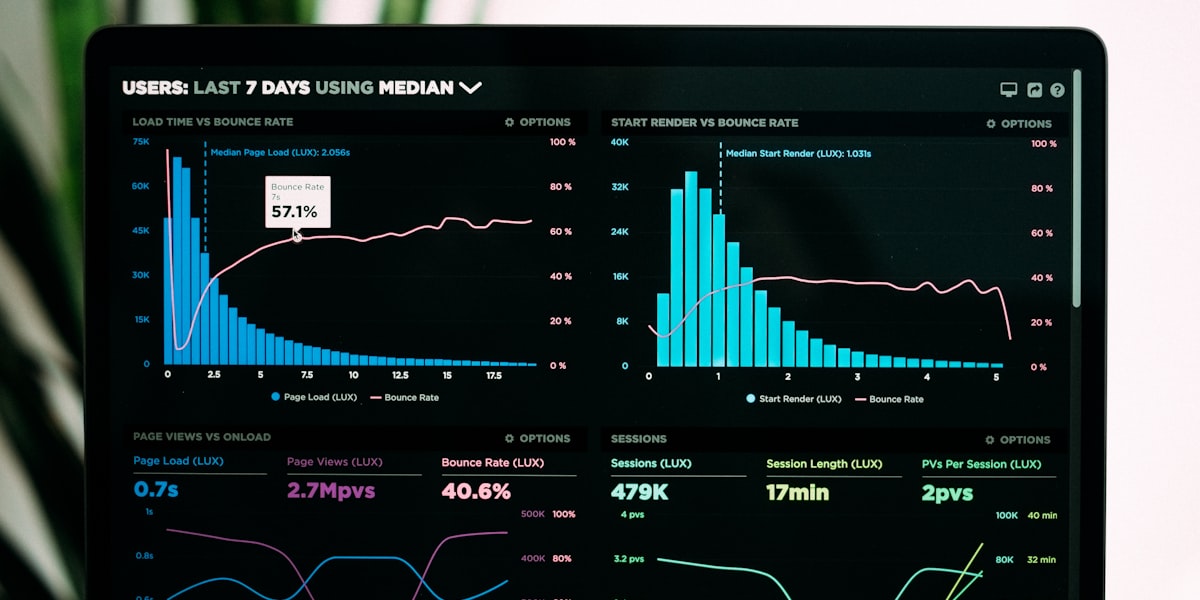
Real-Time Monitoring Dashboard
Executive View
- Overall AI health score
- Active incidents and severity
- Key performance indicators
- Compliance status summary
Operations View
- Service health and availability
- Performance metrics and trends
- Error rates and latency
- Resource utilization
Compliance View
- Guardrail activation patterns
- Policy violation trends
- Regulatory compliance metrics
- Audit trail and evidence
AI Governor's Real-Time Monitoring Solution
Comprehensive Monitoring Coverage
Monitor everything in one platform:
- ✅ System health and performance
- ✅ Model quality and drift
- ✅ Compliance and governance
- ✅ Security and privacy
- ✅ Business metrics and ROI
Instant Alerting
Get notified the moment issues occur:
- Sub-second alert detection
- Multi-channel delivery (Slack, Teams, email, PagerDuty)
- Smart alert routing based on severity
- Alert aggregation and correlation
Automated Response
Respond to incidents automatically:
- Pre-defined remediation playbooks
- Automatic incident ticket creation
- Infrastructure auto-scaling
- Security response automation
Interactive Dashboards
Visualize AI health in real-time:
- Customizable monitoring dashboards
- Drill-down into specific metrics
- Historical trend analysis
- Export and reporting capabilities
Real-World Success Story
Global E-Commerce Platform - AI Monitoring Transformation
Before AI Governor:
- Daily batch monitoring with 24-hour lag
- Average 8-hour mean time to detect (MTTD)
- Multiple customer-reported AI failures per week
- No guardrail visibility
After AI Governor:
- Real-time monitoring with <1 minute MTTD
- Zero customer-reported AI incidents
- 92% of issues caught before customer impact
- Complete guardrail activation visibility
- 75% reduction in incident response time
Prevention is Better Than Reaction
Real-time AI monitoring transforms how you manage AI systems. Instead of reacting to problems after they occur, you prevent them before they impact users.
AI Governor's real-time monitoring provides complete visibility, instant alerts, and automated response for enterprise AI systems.
Stop reacting. Start preventing.
Trushar Panchal, CTO
🚀 Implement Real-Time AI Monitoring
Get complete visibility into your AI systems with instant alerts and automated response capabilities.
Explore the Complete AI Governance Framework
This guide covered real-time AI monitoring. For deeper dives into related topics, explore our detailed blog posts:
- The Complete Guide to AI Governance in 2025: Why Every Enterprise Needs an AI Governor
- The AI Governance Maturity Model: Where Does Your Organization Stand?
- Bias Detection and Fairness in AI: Ensuring Ethical AI at Scale
- AI Lifecycle Management: From Design to Production in 8-12 Weeks
- EU AI Act Compliance: Your Complete Implementation Roadmap
- The AI Vendor Management Playbook: Third-Party AI Risk Under Control
- Managing AI Dependency Risk: The Hidden Vulnerabilities in Your AI Systems
- AI Investment Portfolio Management: The CFO's Guide to AI ROI
- AI Guardrails: The Proactive Defense Your Enterprise AI Systems Need
🎯 Ready to Achieve AI Governance Maturity?
Start with a free AI governance maturity assessment, gap analysis, and custom implementation roadmap.